


Messages
3.710.15K Reviews
App Specs
- Version
- 5.88.45
- Updated On
- License
- Free
- Downloads
- 10,000,000+
- Developer
- Text Messaging
- Categories
- Communication
- Platform
- Android, iOS
Screenshots
 Analysis by AppCompare
Ever wondered if there’s a messaging app that combines simplicity, efficiency, and a sprinkle of fun? Well, let me introduce you to Messages. I've been using it for a while now, and it’s like having a trusty sidekick in the digital world. Let’s dive into what makes this app a standout choice.
Getting Started with Messages
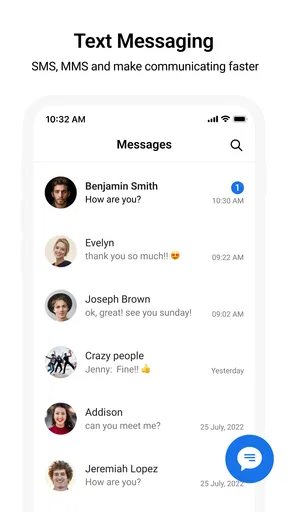
First things first, setting up Messages is a breeze. Whether you’re on Android or iOS, you can download it from your respective app store. Once installed, the app automatically syncs with your contacts, which means you’re ready to start chatting in no time. The interface is clean and intuitive, making it easy for anyone to get the hang of it quickly.
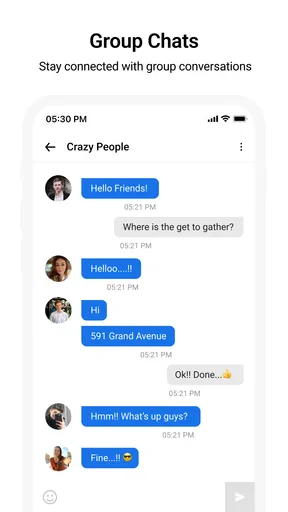
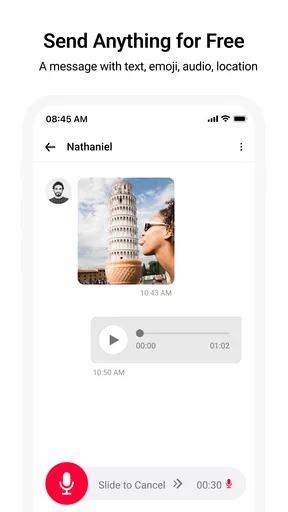
What I love about Messages is that it doesn’t try to be overly flashy. It keeps things straightforward with a focus on communication. The app lets you send text messages, photos, voice notes, and even videos with ease. Plus, the option to create group chats is perfect for coordinating with friends or family.
Features That Stand Out
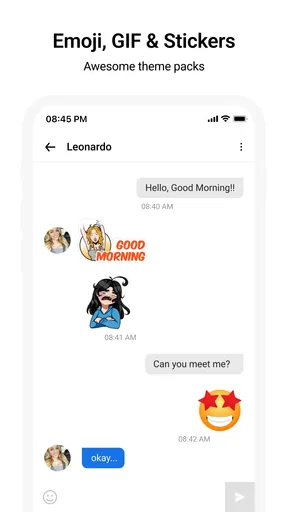
One of the coolest features is the ability to send stickers and emojis. If you’re someone who loves to add a bit of personality to your messages, you’ll have a field day with this. The app includes a diverse collection of stickers, and the emojis are always up-to-date with the latest trends.
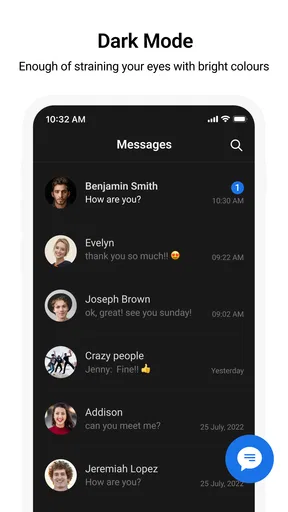
Another feature worth mentioning is the customization options. You can change the theme of your chat, which is a nice touch if you like to mix things up. Plus, the app allows you to set custom notifications for different chats, so you always know who’s messaging you.
For those who like to keep things organized, the search functionality is a lifesaver. You can easily find old messages, images, or links shared in your conversations. It’s like having a personal assistant who remembers everything for you.
Security and Privacy
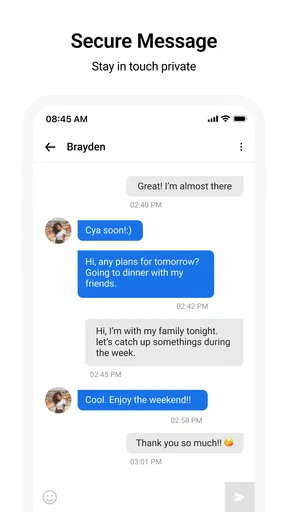
In today’s world, privacy is paramount. Messages doesn’t disappoint in this department. The app offers end-to-end encryption, ensuring that your conversations remain private. You can chat with peace of mind, knowing that your data isn’t being shared with third parties.
Worth Reading Before You Choose

EA SPORTS FC Mobile 26 Is a Bigger Football Game, but It Takes Time

Flipboard Shows What News Apps Must Do Beyond the Feed

Switching to Android Auto Means Rethinking Your Driving Routine

Google Calendar Makes a Crowded Week Easier to Manage

Ludo King Makes the Most of the Minutes Between Plans

Baby Panda World Brings Quick Play to Modern Phones, but Its Game Library Feels Busy
Moreover, if you’re like me and occasionally send messages to the wrong person, the app’s ability to delete messages after sending is a godsend. It’s features like these that make you appreciate how much thought has gone into the app’s development.
Performance and Usability
Let’s talk performance. Messages runs smoothly on both Android and iOS devices. I haven’t experienced any lag or crashes, which is a big plus in my book. The app is lightweight, so it doesn’t hog your phone’s resources, making it ideal for older devices as well.
In terms of usability, the app scores high. Navigation is a cinch, and everything is where you’d expect it to be. From sending a quick text to sharing a hilarious meme, every action feels seamless. The developers definitely hit the nail on the head with the user experience.
Conclusion: Is Messages Worth It?
So, is Messages the right choice for you? If you’re looking for a reliable, user-friendly messaging app, then yes, it absolutely is. It may not have all the bells and whistles of some other apps, but its simplicity is what makes it shine. It’s perfect for anyone who values straightforward communication without compromise on features.
Whether you’re catching up with friends, coordinating plans with family, or just sharing a quick hello, Messages has got you covered. So go ahead, give it a try. Who knows, it might just become your new favorite app too!
Pros
- User-friendly interface for easy navigation.
- Supports rich media like images and videos.
- End-to-end encryption for secure chats.
- Seamless integration with other apps.
- Customizable notifications for individual chats.
Cons
- Limited cross-platform functionality.
- No cloud backup option available.
- Can be resource-intensive on older devices.
- Lacks advanced customization features.
- Group chat size is limited compared to rivals.
FAQs for Messages
What features does the Messages app offer?
The Messages app provides a user-friendly platform for sending text messages, multimedia messages, and sharing files. It supports group chats, quick replies, and integrates seamlessly with other apps for sharing photos, videos, and locations. Additionally, it offers end-to-end encryption for privacy, customizable notifications, and a search feature for finding past conversations.
Is the Messages app secure and private?
Yes, the Messages app prioritizes user privacy and security with end-to-end encryption, ensuring that only you and the person you're communicating with can read what's sent. Even the app developers cannot access your messages. Additionally, it offers options to block or report spam messages and manage who can contact you.
Can I use the Messages app across different devices?
The Messages app is available on both Android and iOS platforms, allowing for seamless messaging across devices. You can sync your chats between your smartphone, tablet, and even desktop using the web version or companion apps. This ensures you can continue conversations without interruption, no matter where you are.
Does the Messages app support multimedia messaging?
Absolutely, the Messages app supports a variety of multimedia messages. You can send and receive images, videos, voice notes, and even share locations or contacts. This makes communication more expressive and versatile. The app also compresses these files for faster sending without significantly impacting quality.
How does the Messages app handle spam or unwanted messages?
The Messages app includes robust spam protection features. Users can block numbers, report spam, and utilize built-in filters to automatically separate potential spam messages from important conversations. These features help maintain a clean and focused messaging experience, allowing you to manage and reduce unwanted interruptions effectively.


